
Inventory functions
The following guide provides an overview of the warehouse functions used in ERPLY Books.
NB! The system will not handle inventory accounting correctly if the location (warehouse) has not been selected properly.
Recycling
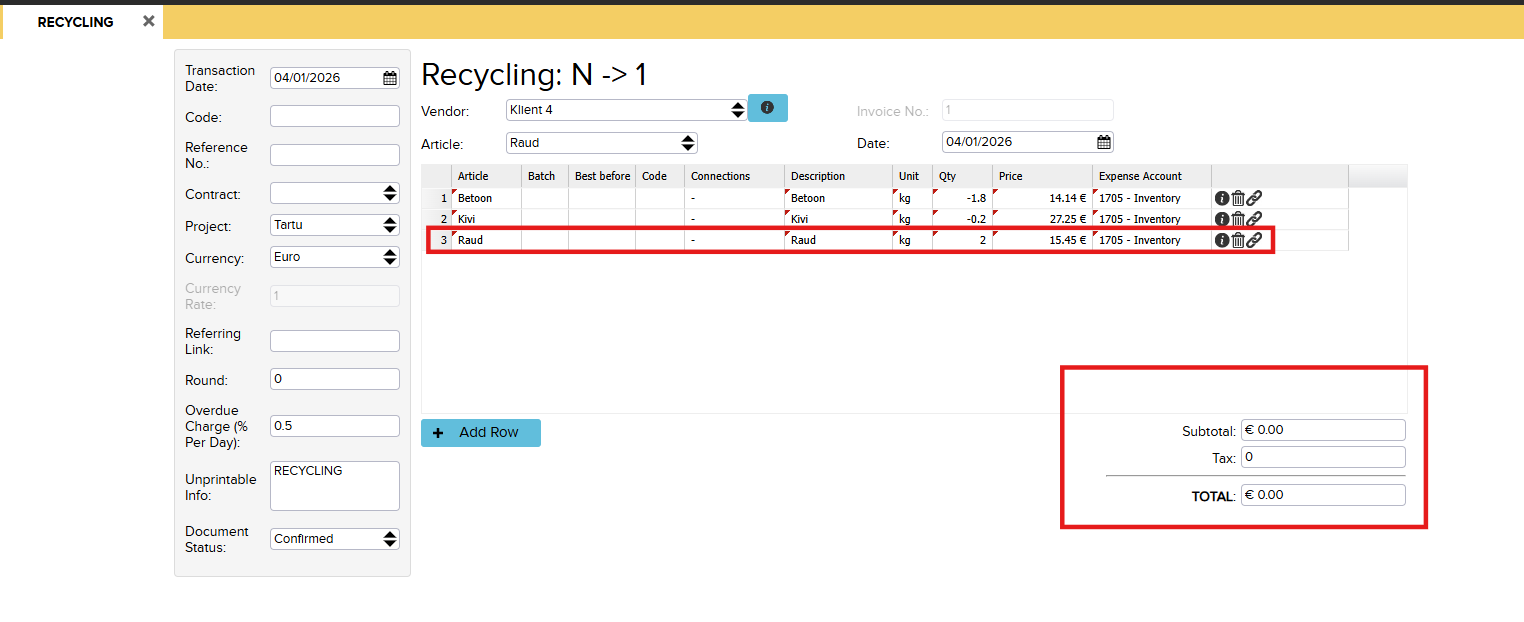
Recycling is an inventory function in ERPLY Books that allows items to be modified within the warehouse, for example splitting one product into several or consolidating multiple products into one.
The function is suitable for situations where internal processing or transformation of products takes place (e.g. sorting or manufacturing). The entire process takes place at the warehouse level and does not affect sales invoices.
Recycling can be done by opening “Inventory” -> “Inventory functions” -> “Recycling”.
The image shows the final process of making one product from multiple products:
More information about this can be read here.
Inventory registration
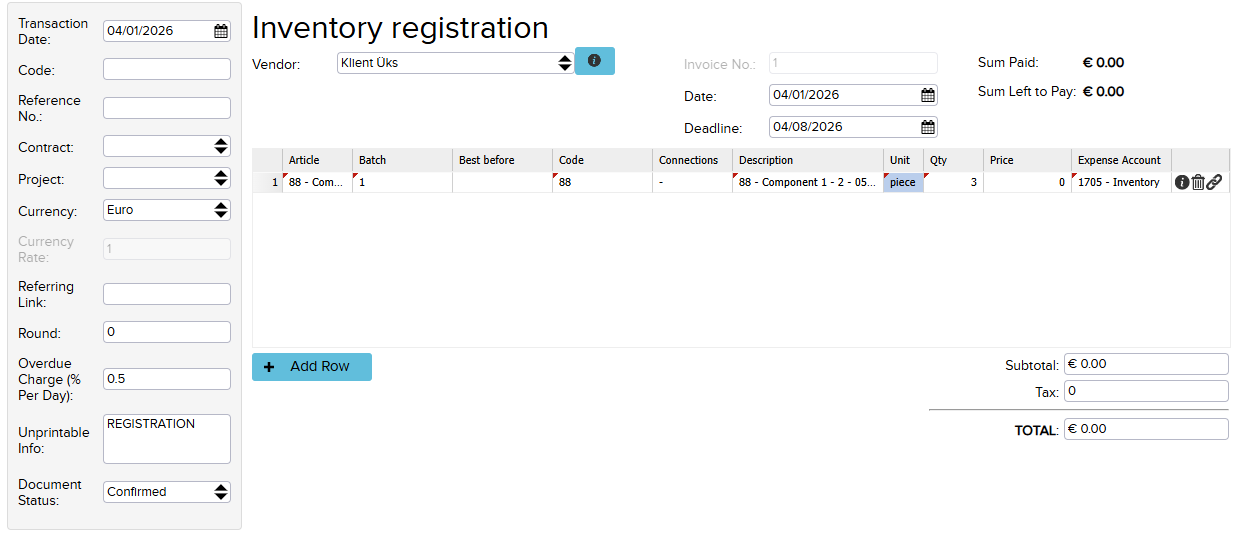
Inventory registration in ERPLY Books means adding new goods or materials to the inventory.
Stock receipt ensures that goods are correctly reflected in the warehouse both in quantity and in value.
In the process, the department, article, quantity and price are specified – the document is then confirmed so that the products are counted into stock. Stock receipt is the basis of inventory accounting and is necessary for ensuring accurate stock levels and cost accounting.
Other fields can also be modified if needed.
Since this involves registering inventory, it means that the goods are coming into the warehouse and this is also where the purchase price comes from.
Warehouse stock receipt can be done by going to “Inventory” -> “Inventory functions” -> “Inventory registration”.
Inventory writeoff
The same principles that apply to stocktaking also apply to inventory writeoff.
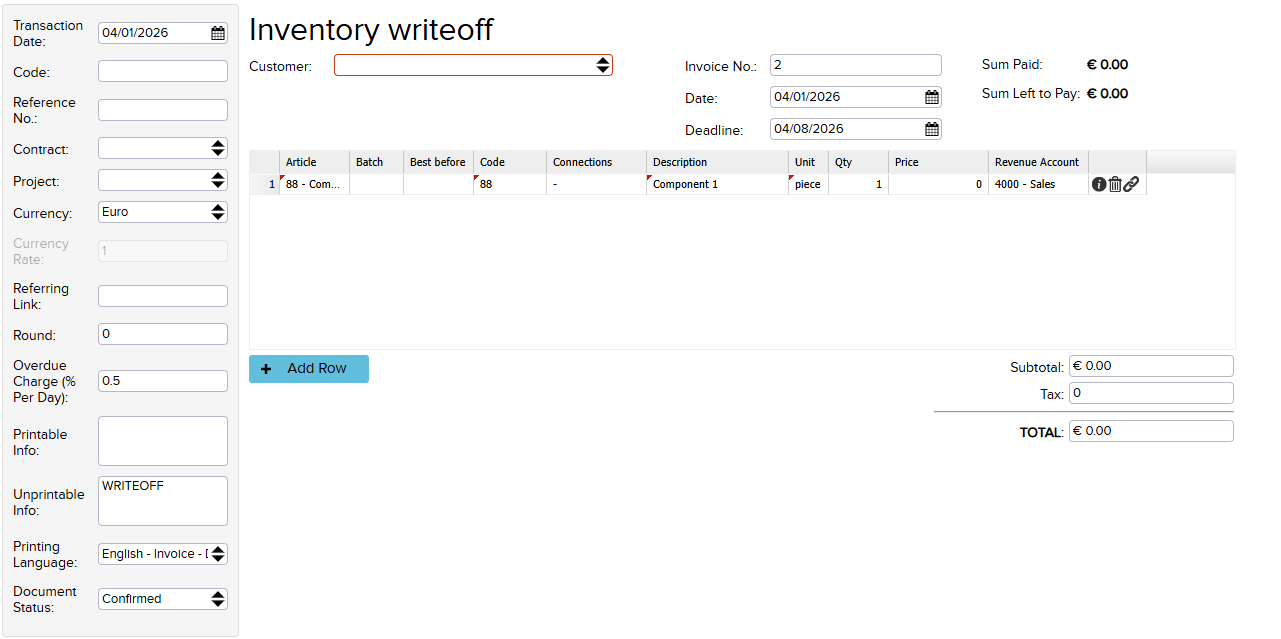
Warehouse write-off can be done by going to “Inventory” -> “Inventory functions” -> “Inventory writeoff”.
Select the corresponding warehouse location, aricles, and quantities; the price is set automatically based on the inventory valuation report. Make sure the correct batch is selected so that the price is reflected correctly.
If an inventory writeoff has been made by mistake, it can be deleted if the period has not yet been closed. For a closed period, the data can be copied. To do this, go to “Inventory” -> “Inventory reports”, where there is an overview of inventory writeoffs, registrations, and warehouse movements and copy the necessary data from there.
Inventory transfer
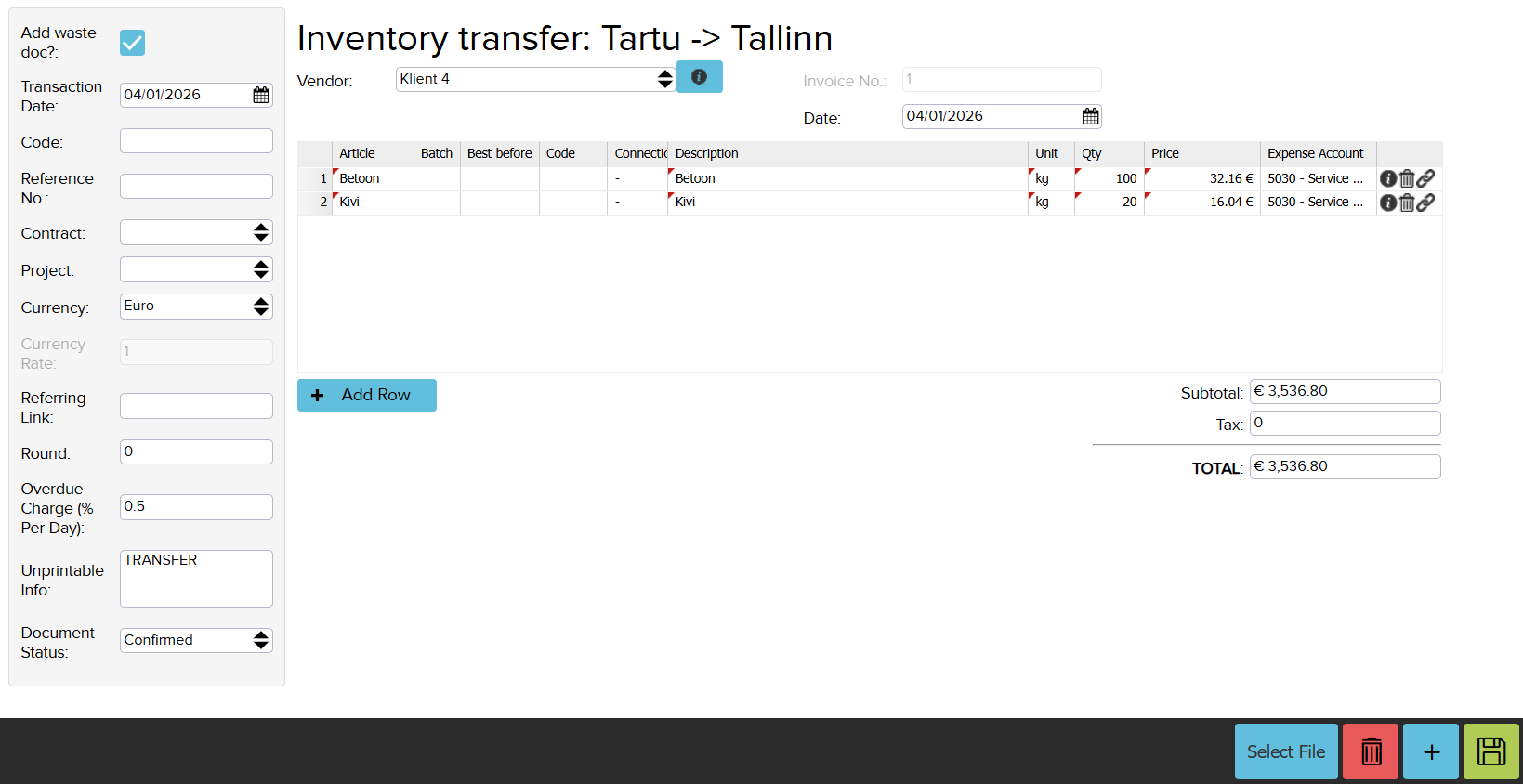
Inventory transfer means relocating goods from one warehouse to another.
In ERPLY Books, this can be done through a warehouse movement document, where the source and destination warehouse, articles and quantities are specified. The movement does not affect the total value of the stock, only the location. The process ensures correct stock levels in each location and enables accurate tracking and reporting.
More information about this can be read here.
Manufacturing
The Manufacturing function in ERPLY Books allows finished products to be created from multiple input components based on a recipe.
Production recipes
Production recipes can be set under “Inventory” -> “Settings” -> “Production recipes”. The article (artikkel) is the finished product and the components (komponent) are the products from which it is made

The production process works like inventory registration, but the ingredients and quantities are calculated automatically based on the recipe. Production uses batch numbers and takes into account the purchase prices of the components. If the components are linked to each other on multiple levels (i.e. one component is produced from others), it is possible to configure whether the accounting is also carried down to those smallest components.
Production can be started under “Inventory” -> “Inventory functions” -> “Manufacturing”.

When you click “Save” (Salvesta), the system automatically creates a warehouse stock receipt from it, where the components have a negative quantity and the new product itself has a positive quantity.
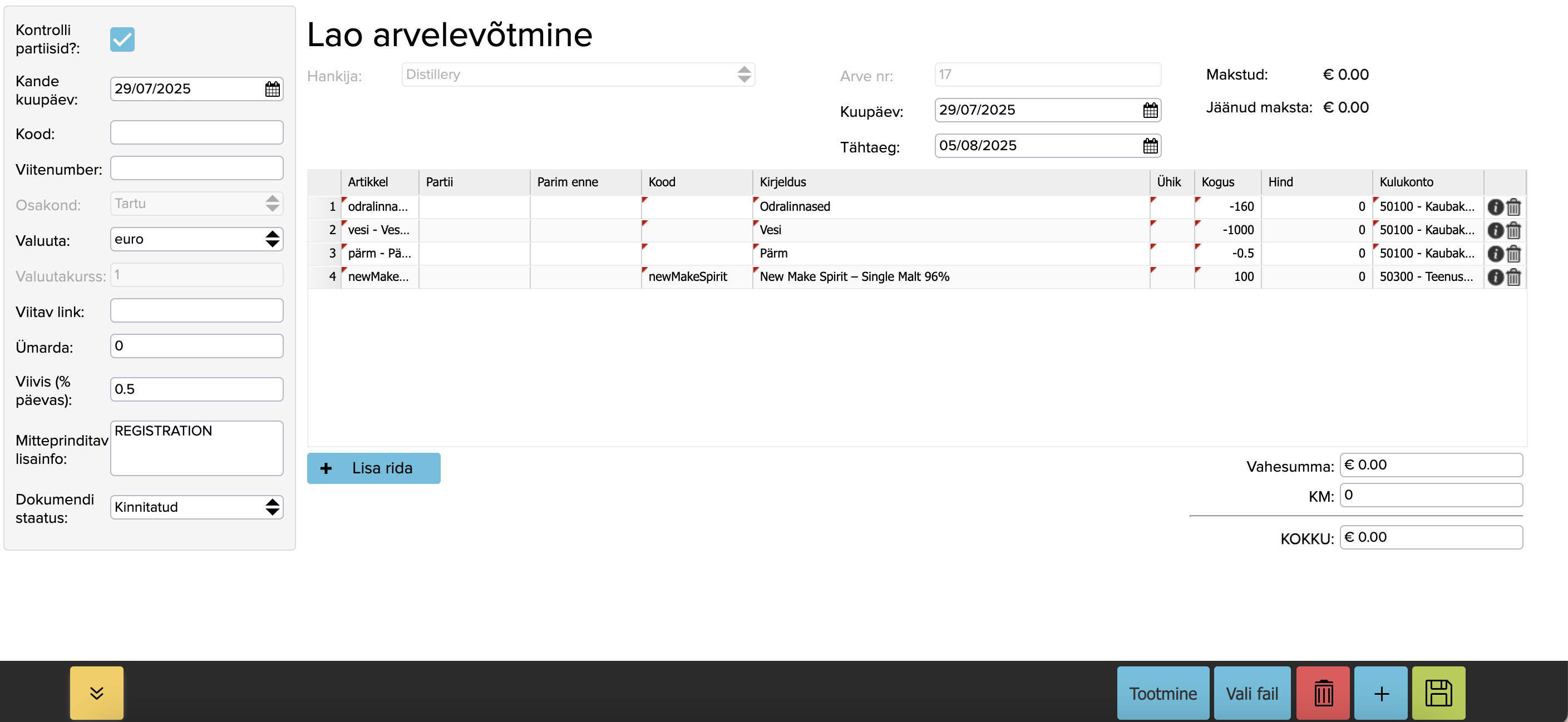
As a result of the production process, the total warehouse value is neutral (sum 0), but the cost price of the products is reflected accurately according to the inputs used. The production process does not affect sales, but reflects internal warehouse reprocessing.
Inventory
An inventory count is the process of checking and adjusting stock levels, during which the actual quantity of goods is compared with what is reflected in the system.
In ERPLY Books, the actual quantities are entered during the inventory count and the system automatically calculates the differences, correcting the stock levels if necessary. An inventory count helps ensure accurate inventory accounting and identify shortages, surpluses or entry errors.
Inventuuri mooduli avamiseks minge “Inventory” -> “Inventory value report” -> “Stocktaking”.

More information about this can be read here.
A more detailed overview of warehouse functions can be found in the video below: