Efficient invoice selection
This guide explains how to use the ERPLY Books Select function to quickly and efficiently select invoices. This feature is available in the following modules:
- Receivables
- Payables
- Bank Import (and additionally, by clicking further: Find Paid Invoice(s))

The Select button is located at the bottom right of the screen.

Selecting invoices from search
For example, you search for relevant invoices and select 7 invoices from the list. However, for some reason, you canceled your selection and now need to search for the 7 invoices again.

To save time:
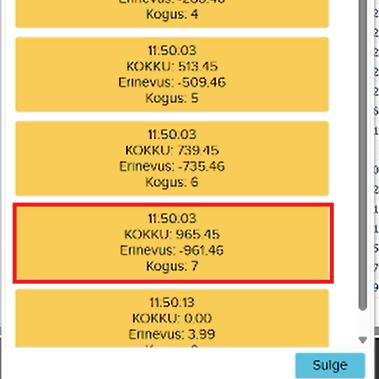
- Click Select
- A list of previous selections will appear
- From there, choose the second option below (the very last search quantity is 0, which means the selection was canceled)
- Your 7 selected invoices are restored
Consolidating invoices from multiple suppliers
Problem: Multiple suppliers are associated with a single payment, and in this case, invoices from multiple suppliers must be selected at once. For example, to search for invoices from two different suppliers:
- Select the required invoice(s) for the first supplier (Select to save to the table)
- Then cancel the selection and select the required invoice(s) for the second supplier
- Then click Select and add the first supplier’s invoice(s) to the existing invoice(s)
Selecting invoices by invoice number and keyword
If you know the invoice numbers, you can easily find them using the Select button:
- Click Select
- Write or copy (e.g., from Excel) the required numbers into the Invoice No.: table
- Click Confirm
- The system automatically selects the required invoices
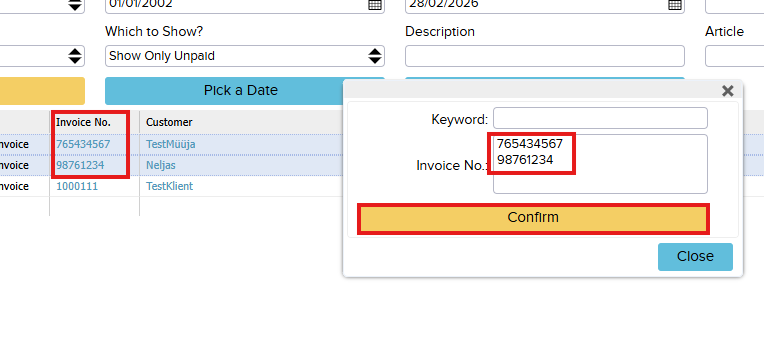
NB! Invoice numbers must be separated by a line break
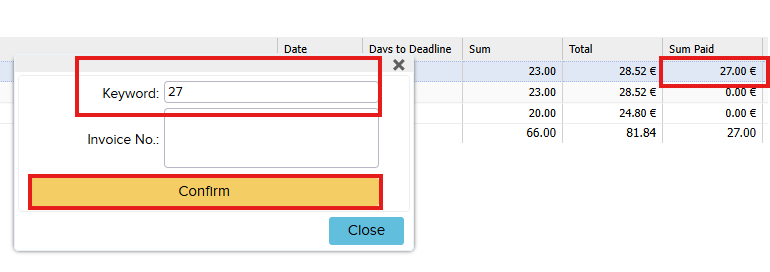
If you need to find an invoice by a specific keyword (e.g., customer name, project name, description, amount), you can use the same principle for keyword-based search:
- Click Select
- Write or copy (e.g., from Excel) the required keyword into the Keyword: table (can be text or number)
- Click Confirm
- The system searches through all attributes and finds invoices containing the specified value