
Inventory value check
Inventory value = Opening balance + purchase price from purchase documents + inventory incomes + warehouse transfers in – warehouse transfers out – cost of goods sold from sales invoices – inventory write-offs
All these transactions are synchronized to ERPLY Books if you wish that. Like said before, cost of goods sold might differ if your FIFO prices change in time. Due to this and other reasons, to correctly synchronize inventory value you must take into consideration following things:
- If you have waybills you must synchronize them.
- All inventory transactions must be synchronized (writeoffs, inventory registrations, transfers between warehouses).
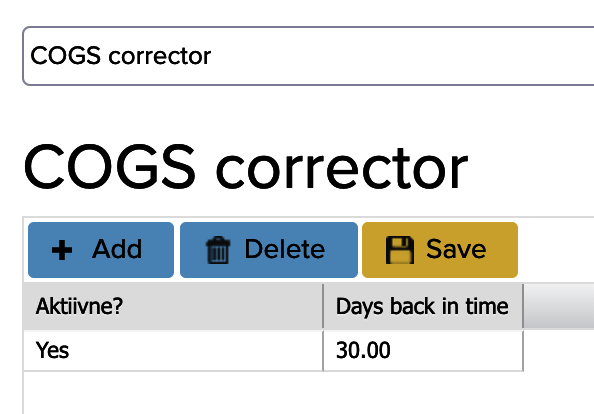
- If your FIFO prices are constantly changing and the stock balance is constantly negative at the time of sale, because the stock cost is incurred later for the sales transaction (when the goods are registered and a positive inventory balance is created again), then the inventory cost may be zero at the time of synchronization. To this end, it is possible to set up an automatic cost control function, which checks every night whether the cost of goods has changed on sales invoices that are 30 days old. In the main search box, type “COGS corrector” and add a line for 30 days. You can also add multiple rows, such as per 30, 60 and 90 days. Then save.
- Do not change products in ERPLY from inventory products to non-inventory products- it might create errors in evaluation of inventory value.
- Take additional costs invoices correctly into account in ERPLY Books. Read more in manual chapter 5.7.1.
- Do not delete old documents in ERPLY. As inventory transaction date will be created at the moment of confirming document, then deleting old document and replacing with new one creates errors in inventory values.
- If the inter-warehouse transfer is carried out after the sale, then the cost of goods sold for the sales invoice will be zero during the period between confirming the sales invoice and completing the warehouse transfer. Therefore, it is important to ensure that the stock balance does not become negative in any individual warehouse, regardless of whether the total stock across all warehouses is positive.
If noteworthy difference stays to the inventory value (30 days old inventory values can be checked thanks to the checking function of cost of goods sold).Check that you have not made correcting transactions to ERPLY Books. If noticeable difference still remains, you can check by transactions from where the difference appears. For this it is reasonable to generate next report in report generator (to output ‘transactions’. Type, Transactions(rows). Debit, Transactions (Rows). Credit):
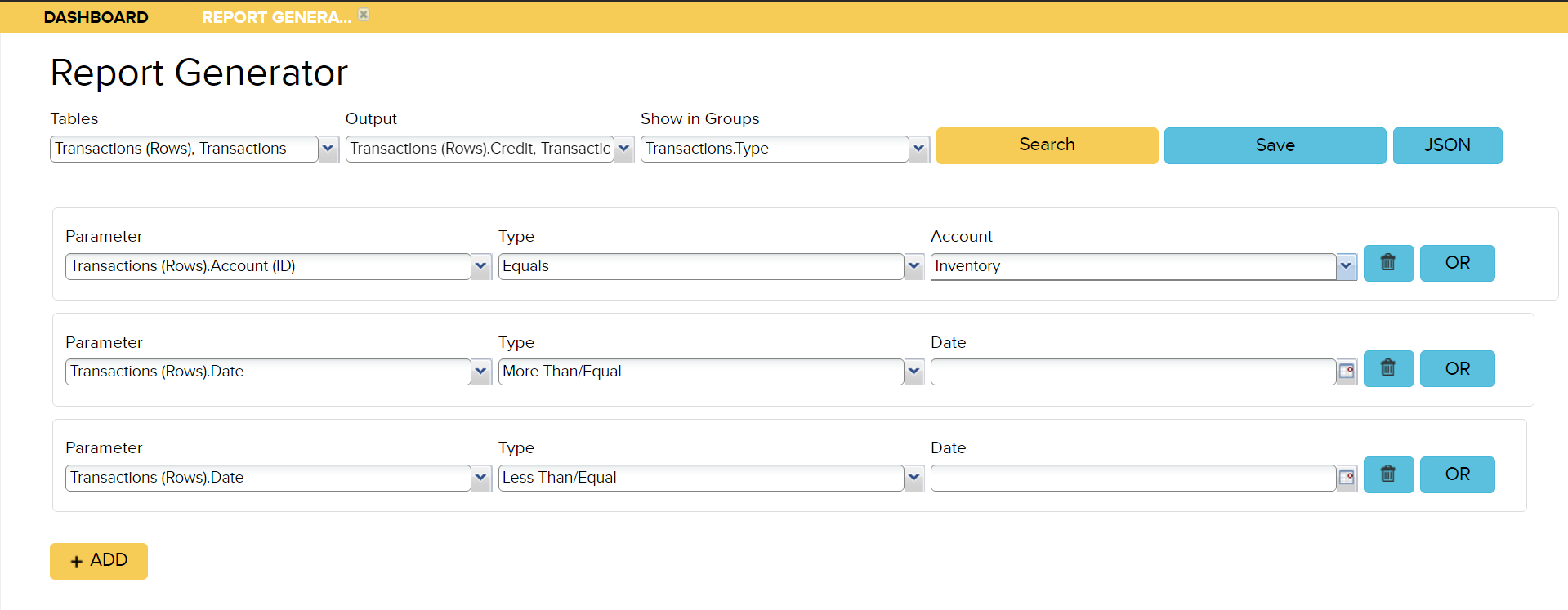
Comparison can be made by following:
- Debit value of purchase invoices comes from purchases in inventory;
- Credit of sales invoices comes from cost of goods sold;
- Manual entries debit is inventory registrations and sum of transfers between warehouses (in);
- Manual entries credit is write-offs and sum of transfers between warehouses (out).
Our additional inventory valuation analysis service is available for an extra fee, priced at €75/hour + VAT.