Cash Flow planning
Cash flow planning is short-term planning of how money might move over the next 30–60 days, based on currently outstanding unpaid invoices and other income and expenses from the previous month.
Report
The cash flow report has been built into the report generator so that it can later be added to the homepage as a chart and so that the data can be processed more easily.
To open the report, go to “Reports”→ “Custom Reports” and select “Cash Flow planning” (Rahavoogude planeerimine)
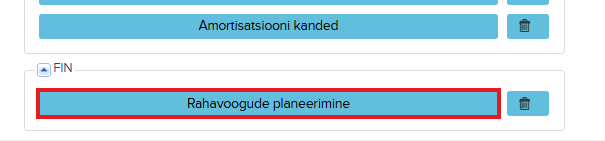
In the report that appears:
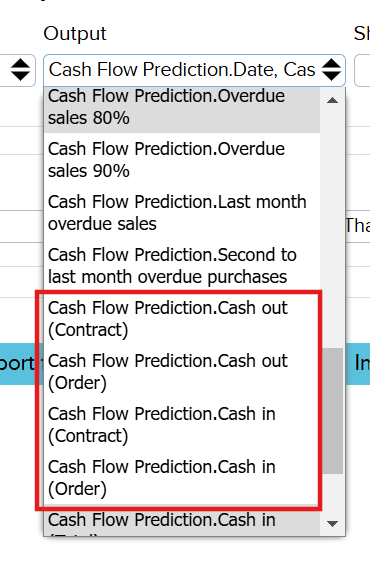
- Under Outputs, you can select everything except the type. If desired, you can also add Contracts and Orders if you want to take future projected transactions into account in the cash flow. Four options are available:
- .Cash Out (Contract) – future regular outgoing payments from standing contracts, e.g. rent, monthly fees, maintenance and loan agreements.
- .Cash Out (Order) – future outgoing payments from confirmed purchase orders that have not yet been invoiced and where payment will go out upon fulfillment of the order.
- .Cash in (Contract) – future regular incoming payments from sales contracts, e.g. standing orders, service agreements and rental income.
- .Cash in (Order) – future incoming payments from confirmed sales orders that have not yet been invoiced.
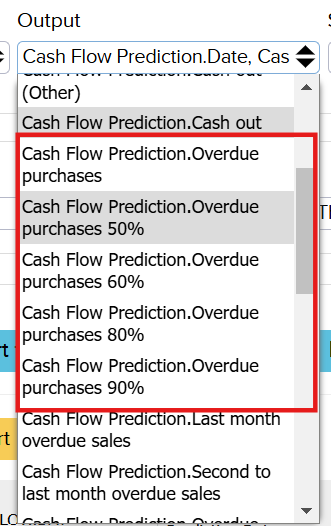
- In the Outputs, it is also possible to adjust the impact of overdue receivables in cash-flow planning – both for customers (.overdue sales) and suppliers (.overdue purchases).
- Receivables can be taken into account at the following rates: 100% (the top value), 90%, 80%, 60%, or 50%.
- NB! Only one option can be selected from each category.

- Show in Groups do not select anything initially (later you can set it to week or month, depending on your needs)
- Filters define up to which date the cash flow planning is performed, and this can be changed if needed.
After clicking Search, the report appears with tables:
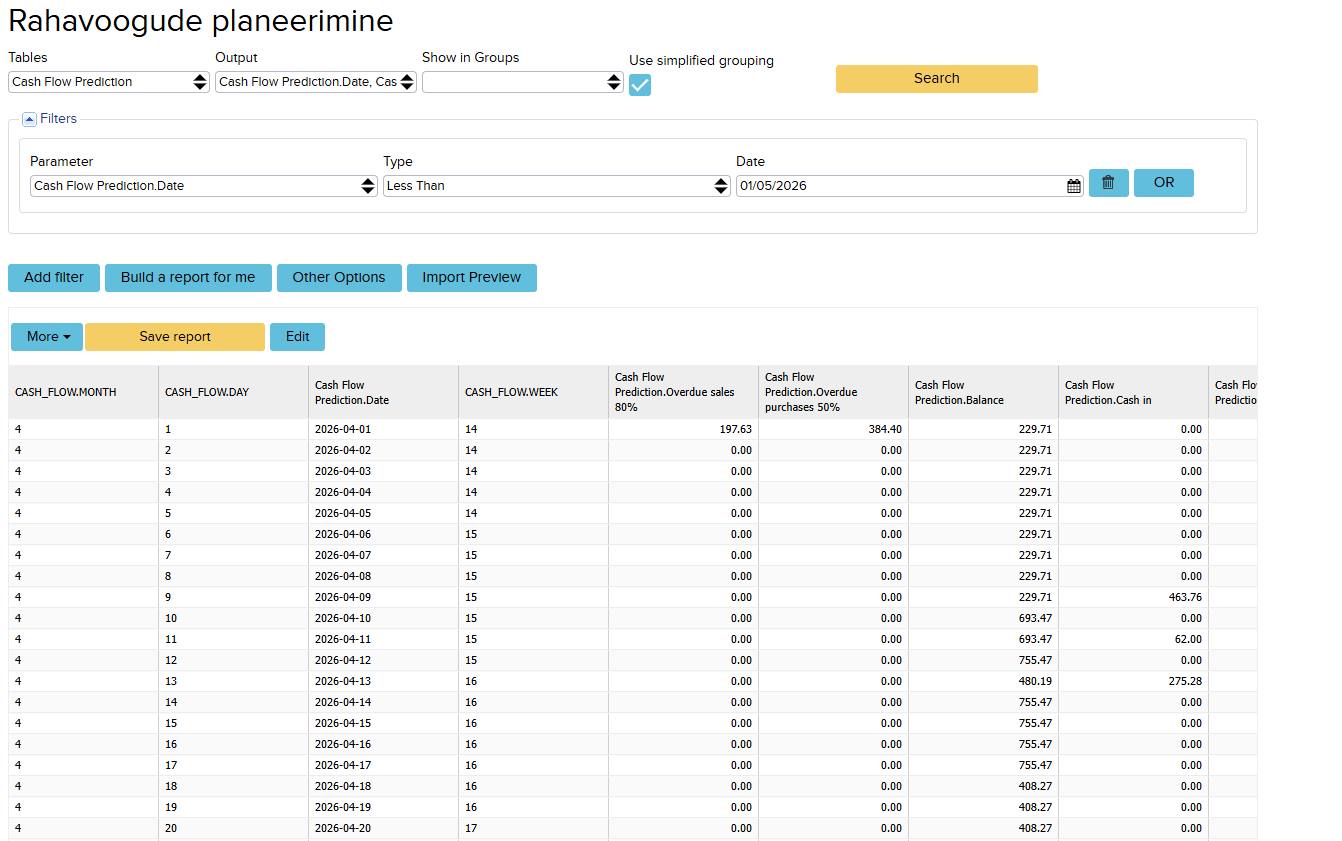
The report takes the current cash balance in the company’s account as its starting point and then:
- Adds future income – actual outstanding invoices according to their due date
- Adds actual outstanding receivable invoices (according to due date)
- Adds other income from the previous month. You can see these by going to Sales -> Cash In. The receipt must not be linked to a client, as this refers to a regular “Other type” income (for example, incoming loan installment payments, etc.)
- Subtracts future outgoing payments – actual unpaid purchase invoices
- Subtracts future obligations (purchase orders, contracts)
- Subtracts other outgoing payments. Found under Purchase -> Payments Report (for example, on 20 May, 600 was paid out). This would be a VAT payment, and the system assumes that a similar outgoing payment will also occur on 20 June.
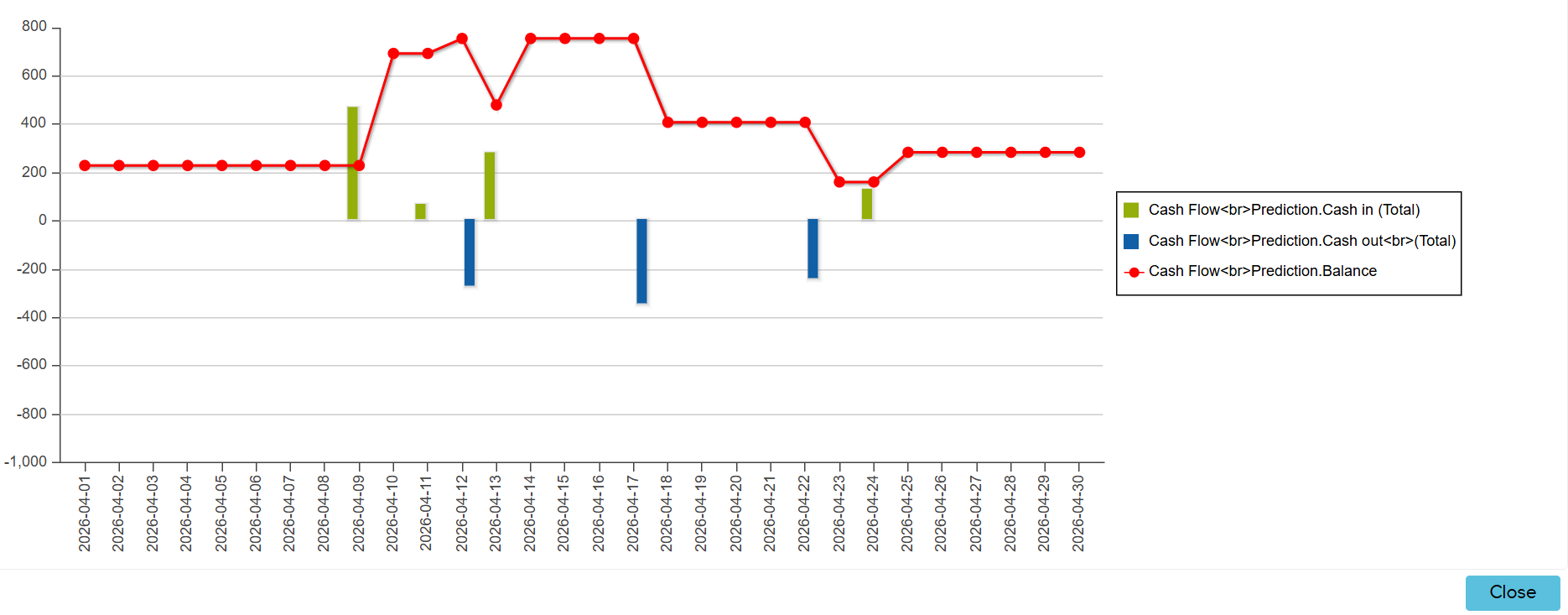
To make the report easier to read, it can also be displayed as a chart. To do this, click More → Chart and in the window that appears, click Chart again. The chart shows the change in the projected cash balance (red line) by day. Blue bars indicate a decrease in cash flow and green bars indicate an increase.
Data export
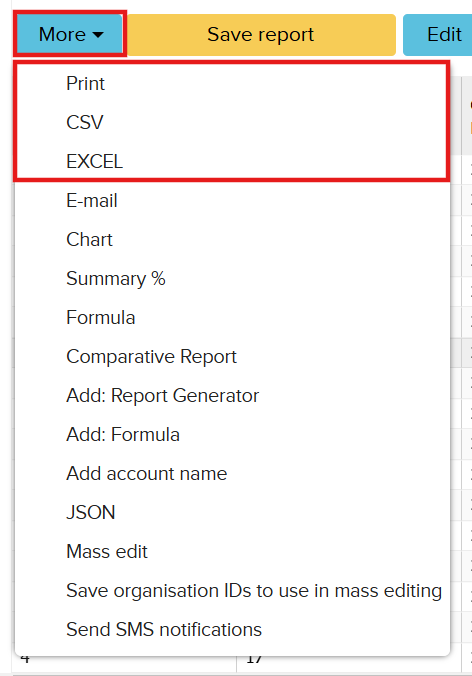
If needed, the report can also be exported in the required format. To do this, in the open report click: More → select the desired format (e.g. Excel, CSV).