
Entering recipes
Recipes allow finished products to be produced automatically in the production process.
There are two ways to enter components:
Option 1:
Open Inventory → Settings → Production Components
Option 2:
Type “Production Components” in the dashboard search grid
Components are added via articles, meaning the items (products) first need to be created in the “Purchase-Sales Articles” module.
The recipe specifies how much of each component is used per one liter of the product.
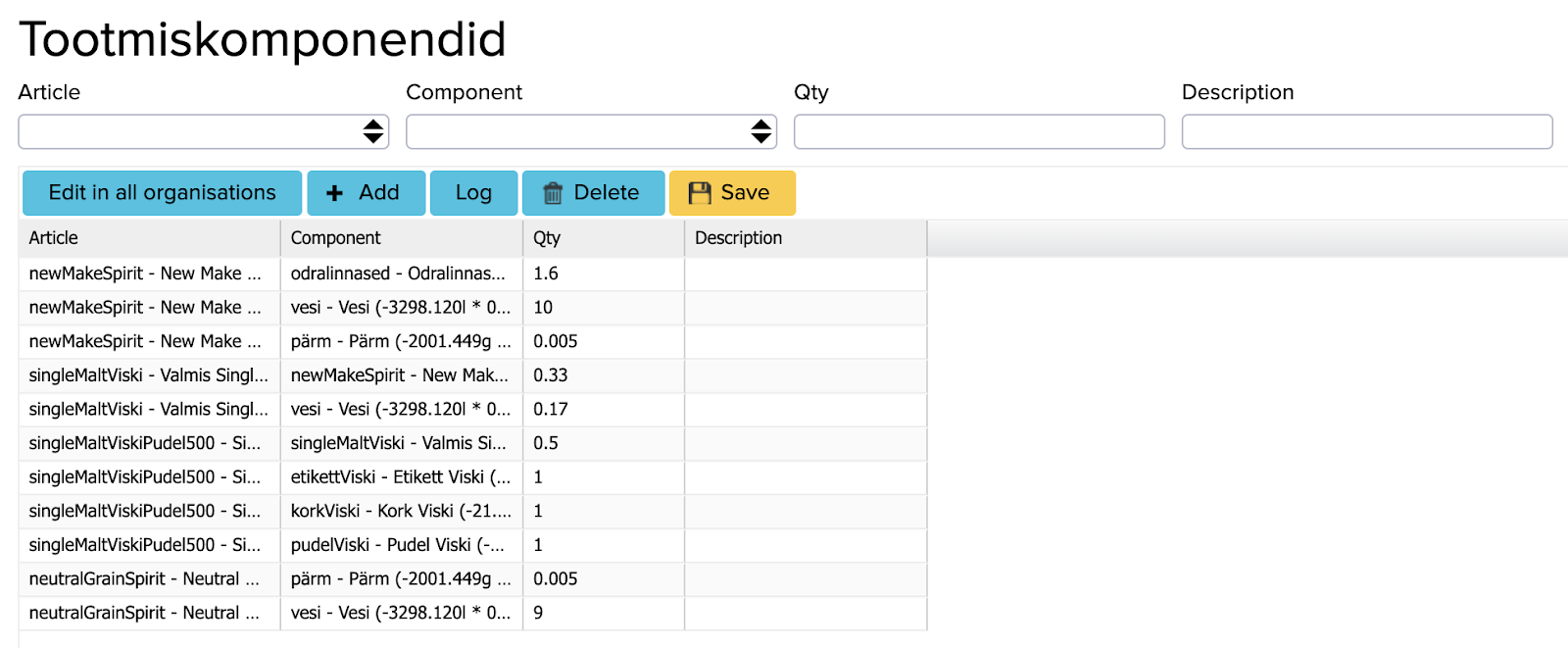
To add a new ingredient:
- Click: “+ Add”
- Fill in the following fields:
- Article – The finished product being produced
- Component – The required item/ingredient
- Quantity – The amount of the selected component needed to make 1 bottle
- Description – Optional additional information
- When all components have been added, click “Save“.
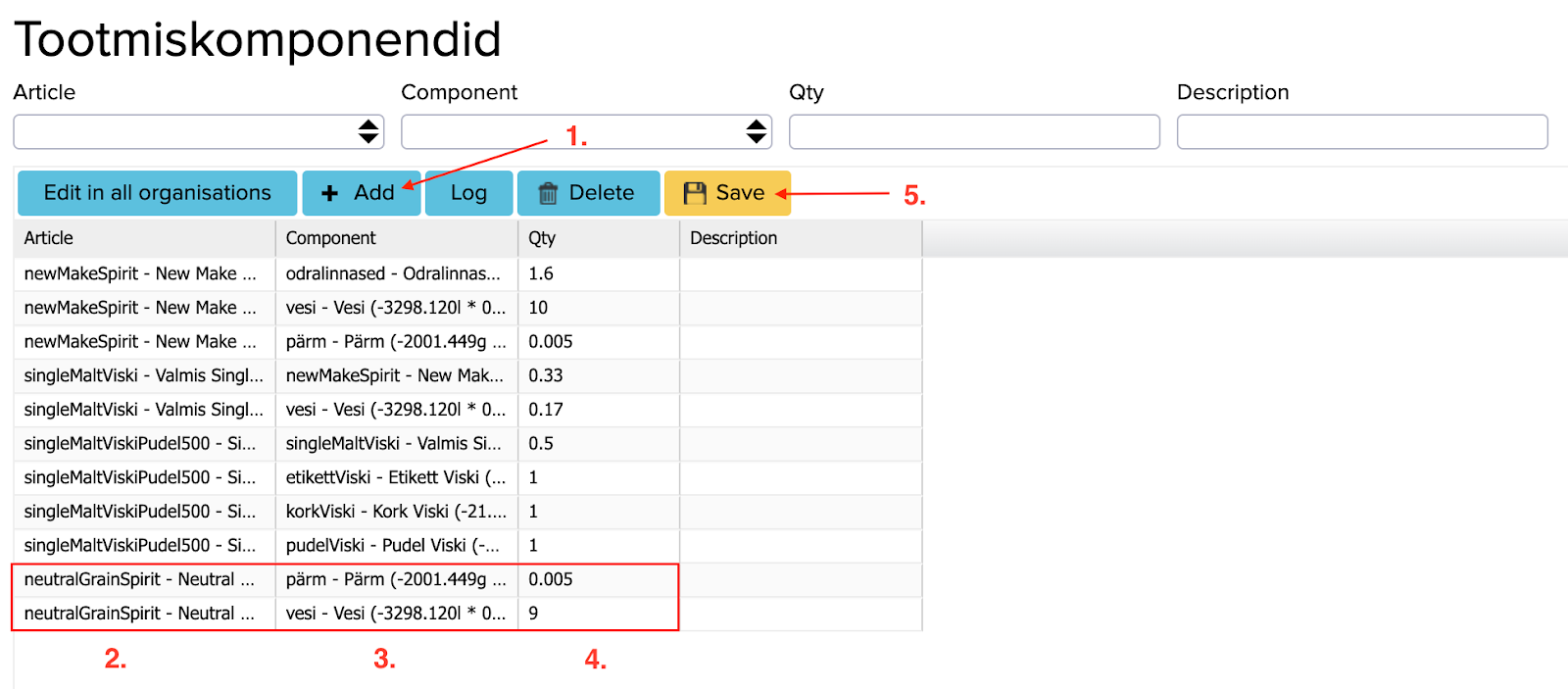
Each finished product needs to have its own recipe. In the case of distillation, the recipe lists which ingredients are used. The finished product (before packaging) features its components, and when the product is bottled, the recipe should also include the bottle, cap, label and other packaging materials.
Intermediate products also have to be added here. This way, it is visible what the product consists of at every stage.