
Billberry integration
What is Billberry and why use it?
Billberry is the only e-invoice operator that allows sending and receiving invoices compliant with the Estonian e-invoice standard completely free of charge. Billberry enables:
- Free e-invoice sending – you can send e-invoices to other organizations and state institutions without additional fees
- Automatic e-invoice receiving – you can receive an unlimited number of e-invoices and import them directly into ERPLY Books
- A simple web-based user interface – you can view and manage invoices also on the Billberry website
- Fully automated delivery – unlike other service providers, Billberry does all the work for you
NB! The KYC process must be completed before connecting.
Setting up the integration
To create the integration, open ERPLY Books and:
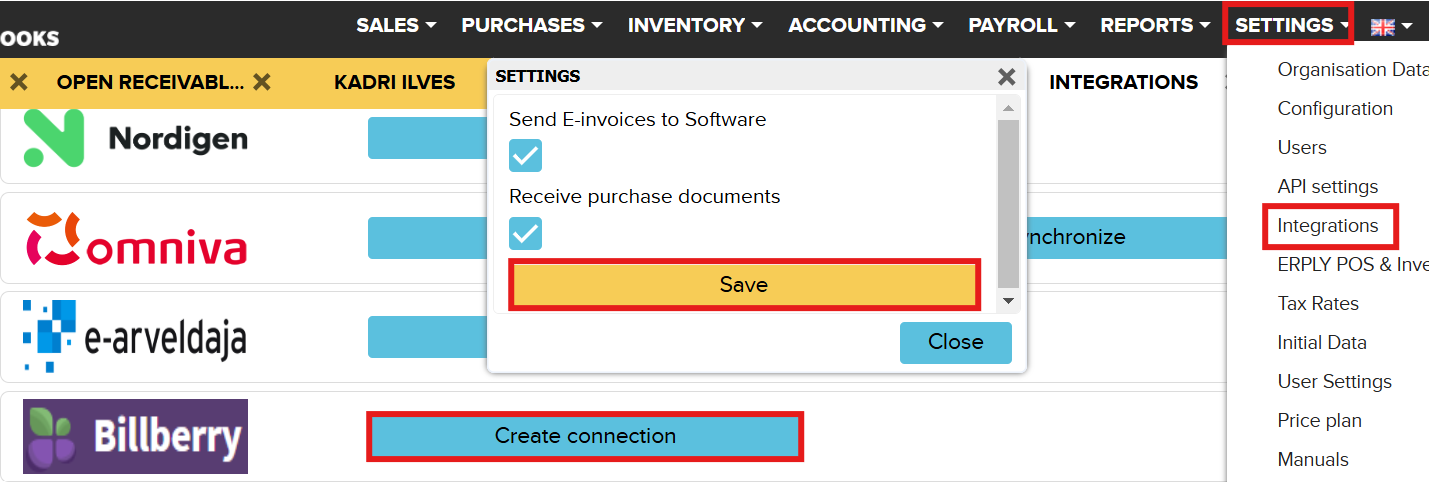
- Click: Settings → Integrations → Billberry
- Click: Create connection
- In the window that opens, check whether you want to send and/or receive invoices
- Click Save
Sending e-invoices
To send e-invoices one by one:
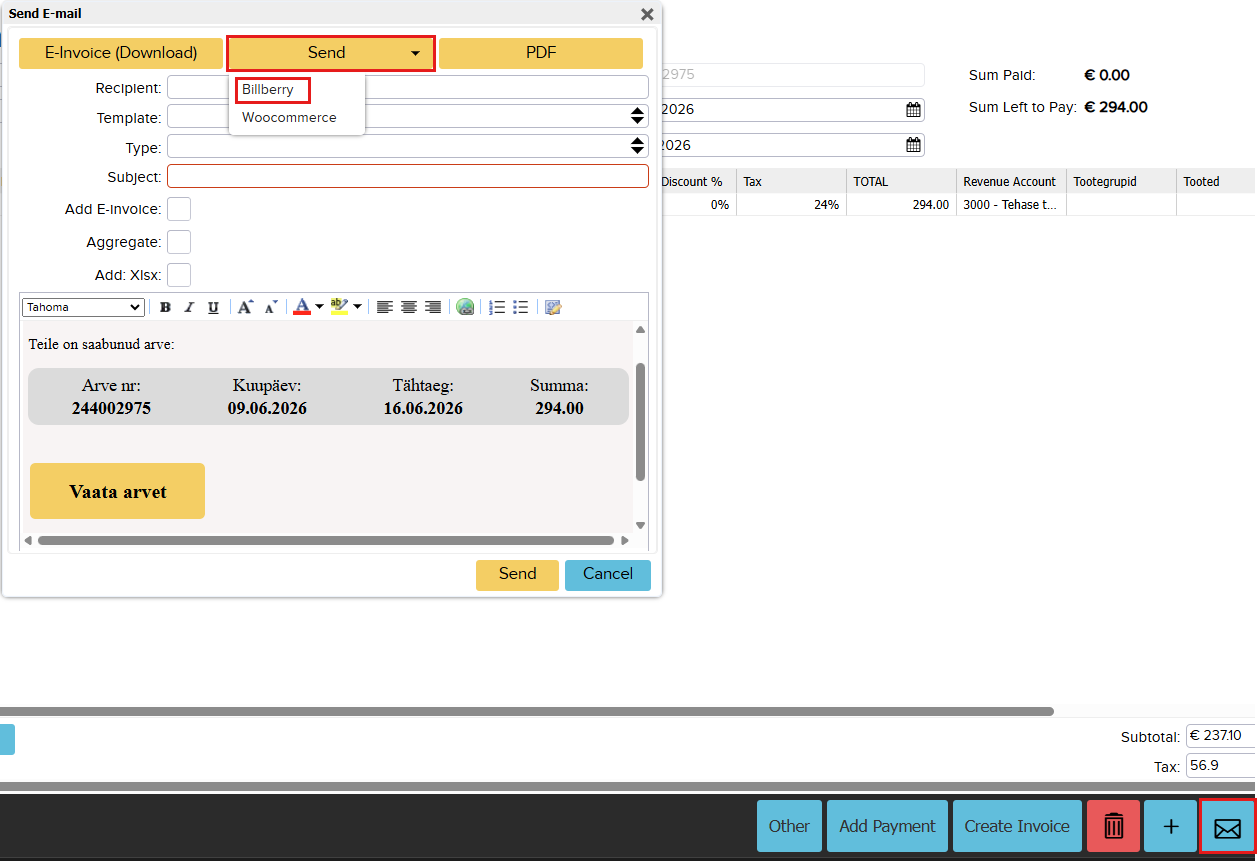
- Open the required invoice in ERPLY Books
- Click the envelope icon (in the bottom right corner)
- Select Billberry under the Send button
Receiving e-invoices
When receiving e-invoices:
- E-invoices are delivered to the Purchase Inbox via Billberry
- you can, if necessary, import e-invoices into ERPLY Books or/and
- Open Purchases → Bank import
- use Billberry’s automatic e-invoice import (if Billberry is already integrated)
If you have any questions, contact us at info@erplybooks.com