
SendGrid integration
SendGrid is a cloud-based email service that allows sending emails reliably, even when you have larger volumes to send.
Once SendGrid is connected:
- You can send invoices and reminders reliably.
- It reduces the risk of emails ending up in the spam folder.
- You can use your own domain’s email address.
- You can send a hidden copy (BCC) to yourself or your accountant.
- Email delivery is faster and trackable (via SendGrid statistics).
To start the integration, you need to create an account in the SendGrid environment. Once the account is created, you will receive a token and an email address from which messages will be sent to clients.
Integration in ERPLY Books
Open “Settings” -> “Integrations” -> find SendGrid and click “Manage”.
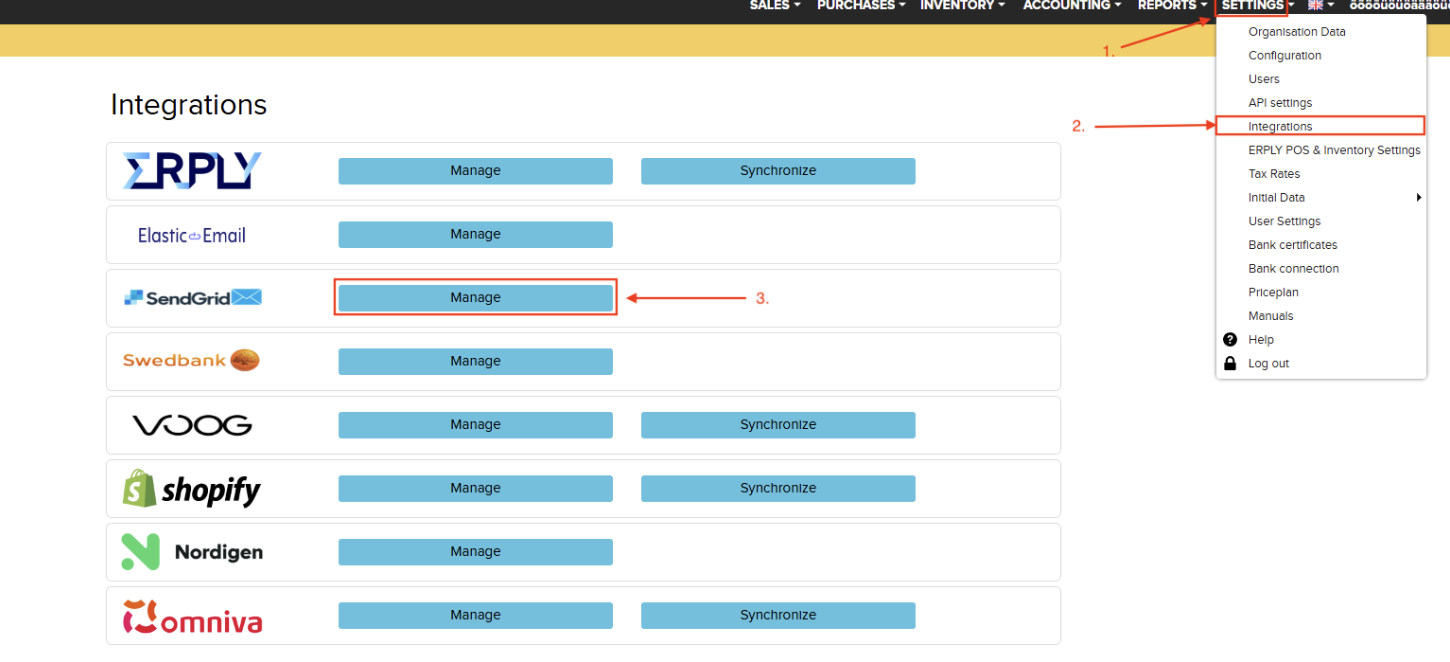
A window will then open where you need to enter:
- SendGrid’s token: available in your SendGrid account.
- When sending email also send bcc to: if you want to send a hidden copy of each invoice, for example to your accountant or yourself, add their email address in the BCC field.
- Sender: from your SendGrid account.
- Sender name: the name from whom the email is sent.
- Reply to Email: if this field is empty, the user’s log-in email address will be used.
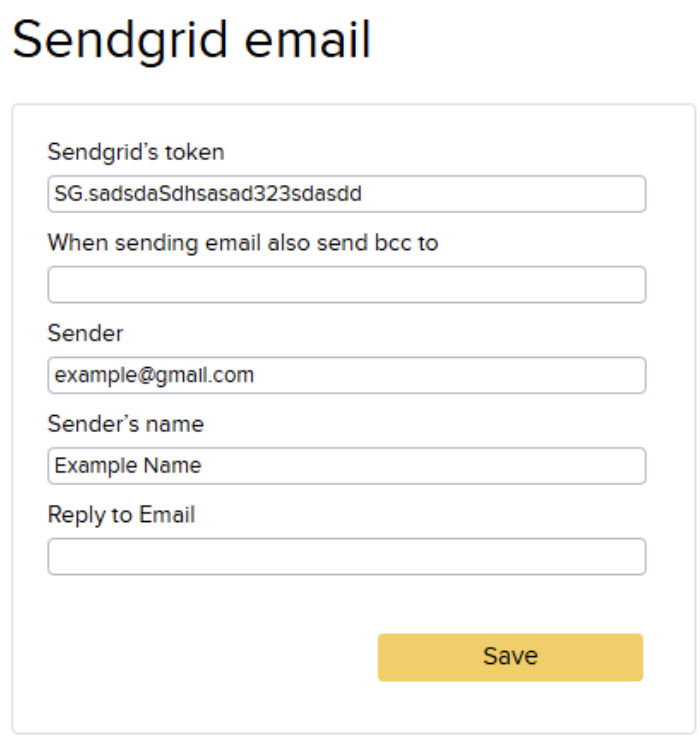
Once all required fields have been filled in, click “Save”.
Tracking email status in ERPLY Books
The status of all emails can be tracked in the report generator (“Reports” -> “Report Generator”).
- Tables: Email
- Output: E-mail.Creation Date, E-mail.Reason, E-mail.Document Status
- Group by: Email.CreationDate